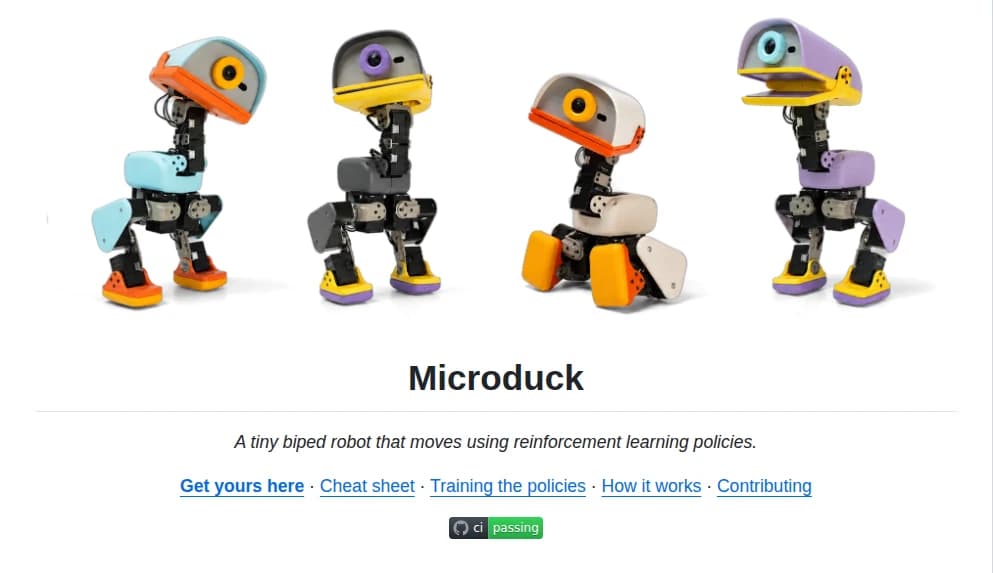
The easiest answer to "What can MicroDuck actually do?" is a list.
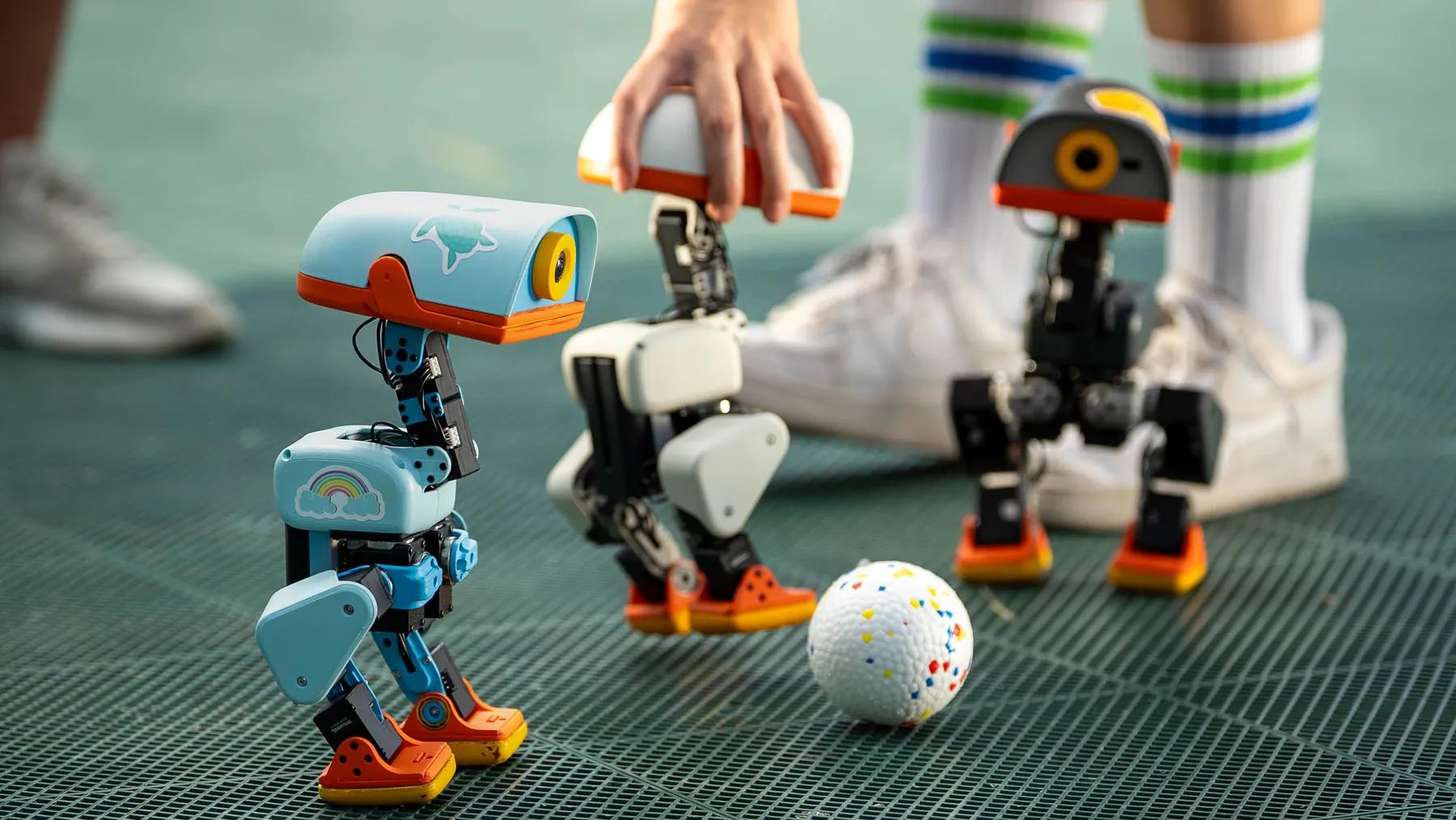
It can walk. It can sit. It can crouch. It can grasp objects. It can kick a ball. It can roller-skate with its rollers attached. It can get back up after falling.
Pollen Robotics currently lists seven trained moves in the box, and describes MicroDuck as playable before you write code. The robot also has an open-source software stack for training and deploying new behaviors. (Pollen Robotics)
But a feature list leaves out the most important part.
What do those abilities actually mean when you have the robot in front of you?
What MicroDuck Can Do Today
Walk and move around
Walking is the foundation of the robot.
MicroDuck is a small biped, so unlike a screen-based companion or a static desk gadget, its behavior changes where the physical robot is in the room.
That sounds obvious, but it is an important distinction.
You are not watching an animation of a robot walking. You are watching a real machine maintain balance, move its legs, and physically travel across a surface.
That makes simple movement part of the experience by itself.
Sit, stand, and recover
MicroDuck can sit and stand, and one of its trained behaviors lets it recover from a fall and return to a standing position.
That recovery behavior matters because physical robots fail in physical ways.
A virtual character can simply reset.
A real robot can end up on its back.
Being able to recover without someone immediately picking it up makes the robot easier to experiment with and more practical to play with. Pollen specifically lists "Get back up" as one of the trained moves shipped with MicroDuck. (Pollen Robotics)
Grasp objects
MicroDuck uses its articulated beak as a gripper.
That changes the kind of interaction you can have with it.
A robot that only moves its own body is interesting.
A robot that can also affect something outside itself starts to feel much more like a physical robot.
You can place an object in front of it and see whether it can pick it up. You can create a small challenge around that interaction. You can experiment with what kinds of objects are practical for the mechanism.
But there is an important boundary here.
Being able to grasp an object does not make MicroDuck a general-purpose household robot.
Picking something up once and reliably completing useful household tasks are completely different levels of capability.
Kick and interact through simple physical behaviors
Kicking a ball is not a practical household function.
That is part of why it is useful as a consumer-robot behavior.
A desktop robot does not have to justify every feature through productivity.
Some behaviors exist because they create something you can actually play with.
A robot that can kick a ball gives you a very simple reason to put an object in front of it and see what happens.
That turns a technical capability into an interaction.
Roller-skate
MicroDuck can switch to rolling locomotion when the roller attachments are fitted.
It is a small feature, but it demonstrates something important about the platform.
The robot is not limited to one physical behavior.
Walking and rolling create different movement patterns, different visual experiences, and different possibilities for play.
You are still working with the same robot, but changing the way it moves changes what you can do with it.
Manual control
MicroDuck ships with a game controller, so the first interaction does not need to begin with a development environment.
Pollen explicitly describes the robot as playable out of the box and includes a game controller in the standard package. (Pollen Robotics)
That matters more than it may seem.
A technically impressive robot can still feel inaccessible if the first thing a buyer has to do is install dependencies and read documentation.
MicroDuck has a lower-friction starting point.
You can interact with it first and worry about the deeper software stack later.
What Those Capabilities Do Not Mean
This is where MicroDuck is easy to misunderstand.
The current robot is not a general-purpose home assistant.
It is not a robot maid.
It is not a fully autonomous system that can independently manage your household.
It cannot turn seven trained behaviors into unlimited physical competence.
The existence of a camera, LiDAR, reinforcement-learning stack, and open software does not mean every future capability is already available today.
Those are building blocks.
The actual product should be judged by what is currently shipped and supported.
Pollen's own product positioning is useful here: MicroDuck is both playable out of the box and designed as an open platform that developers can retrain. Those are two different layers of the same product. (Pollen Robotics)
The More Interesting Part Is the Combination
The individual behaviors are not revolutionary on their own.
Walking is common.
Grasping is common in robotics research.
Recovery from a fall is not a consumer novelty forever.
Roller-skating is mostly playful.
The interesting part is that these behaviors exist together in a small consumer robot.
MicroDuck can move its body.
It can interact with objects.
It can recover from some failures.
It can be controlled without writing code.
And underneath that, the software stack is open enough to train and deploy new behaviors.
Pollen says the SDK, simulation environment, and reinforcement-learning training stack are available openly, with the shipped behaviors represented as policies that can be retrained. (Pollen Robotics)
That means the current seven behaviors should not automatically be treated as the permanent ceiling of the platform.
But potential is not the same thing as current capability.
What MicroDuck Is Right Now
The most accurate way to describe MicroDuck today is probably this:
It is a small physical robot that is already fun to interact with, while also being open enough to become a robotics development platform.
For a normal buyer, the first part matters.
For a developer, the second part may matter more.
And for someone considering a purchase, the important question is not simply:
"How many things can MicroDuck do?"
It is:
"Are the things it can do today interesting enough for me, and do I actually care about the possibility of what I could make it do later?"
That is a much more useful way to evaluate the robot than counting features.
Bottom Line
MicroDuck can already do more than simply walk around a desk.
It can move, change its posture, grasp objects, kick, roll, recover from falls, and be manually controlled without requiring you to start as a robotics developer. (Pollen Robotics)
At the same time, it is important not to turn those behaviors into capabilities the product does not have.
Today, MicroDuck is a playful physical robot with a real development path behind it.
Whether that becomes a genuinely broad platform depends on what new behaviors, software, and community work appear over time.
For now, judge the robot by what it actually does.
Then decide whether that starting point is enough for you.